Teams & Staff Management
Efficiently manage your agency's teams and staff members with our comprehensive team management system.
Overview
The Teams & Staff module helps you organize your workforce, manage roles, and maintain team structures. This module is essential for agencies looking to scale their operations efficiently.
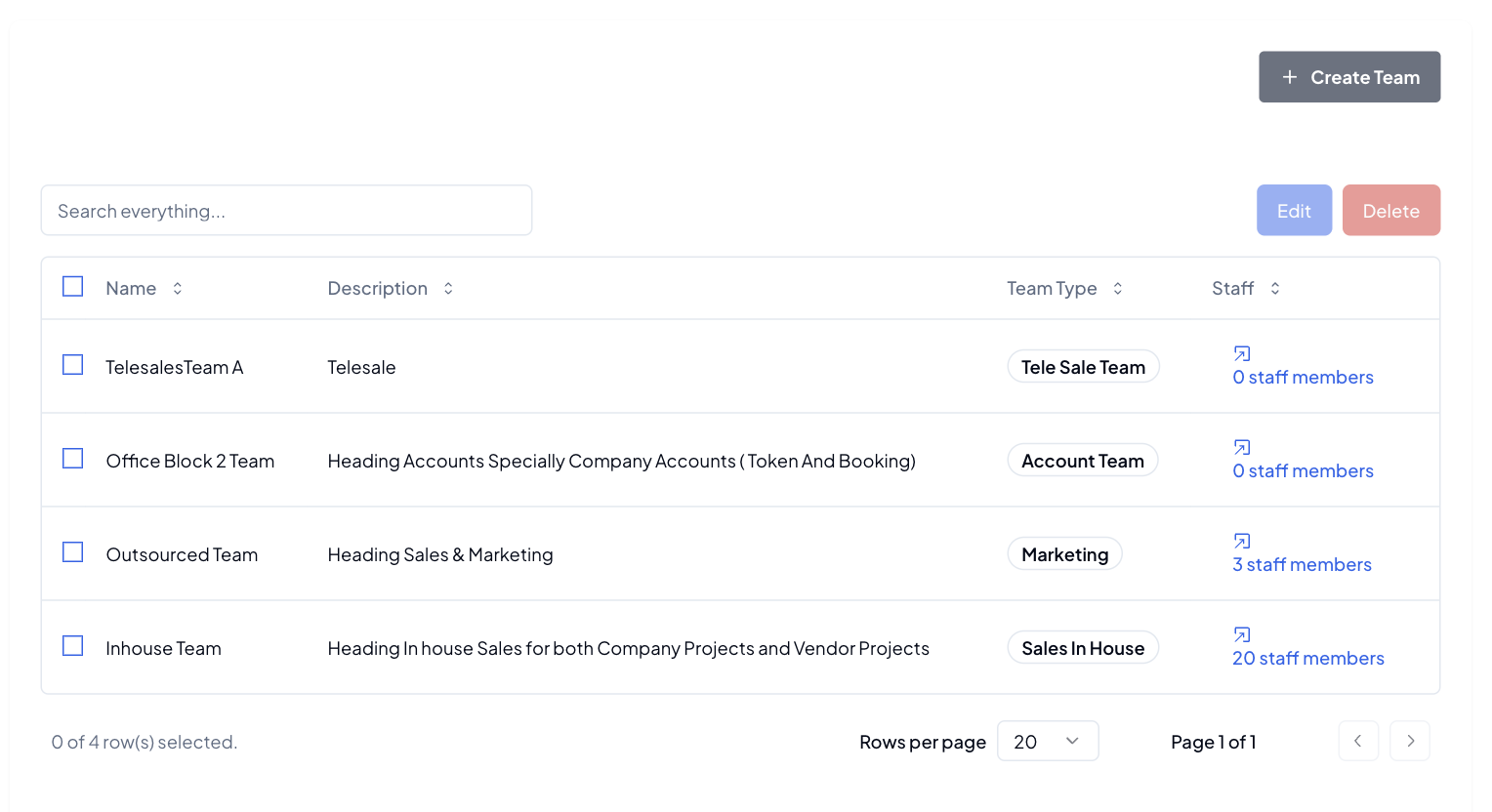
Team Management
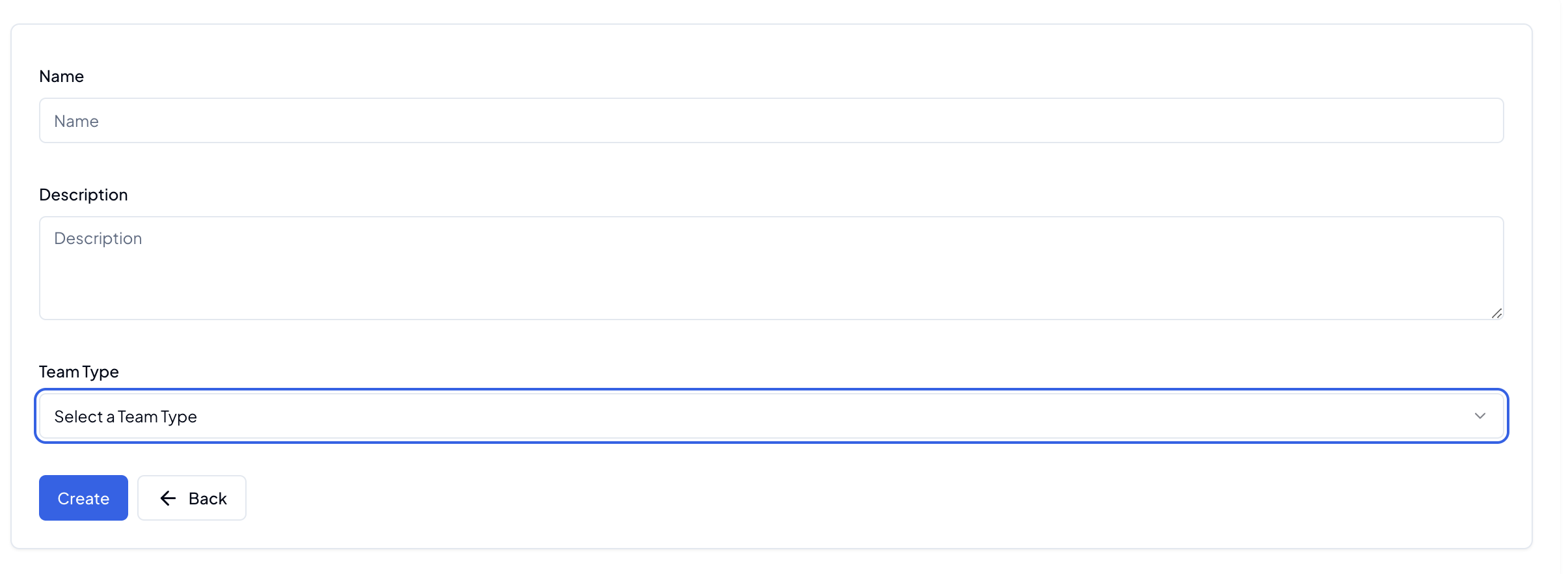
Creating Teams
- Navigate to Teams section from Sidebar inside Staff
- Click "Create New Team"
- Fill in team details:
- Team name
- Description
- Team Type
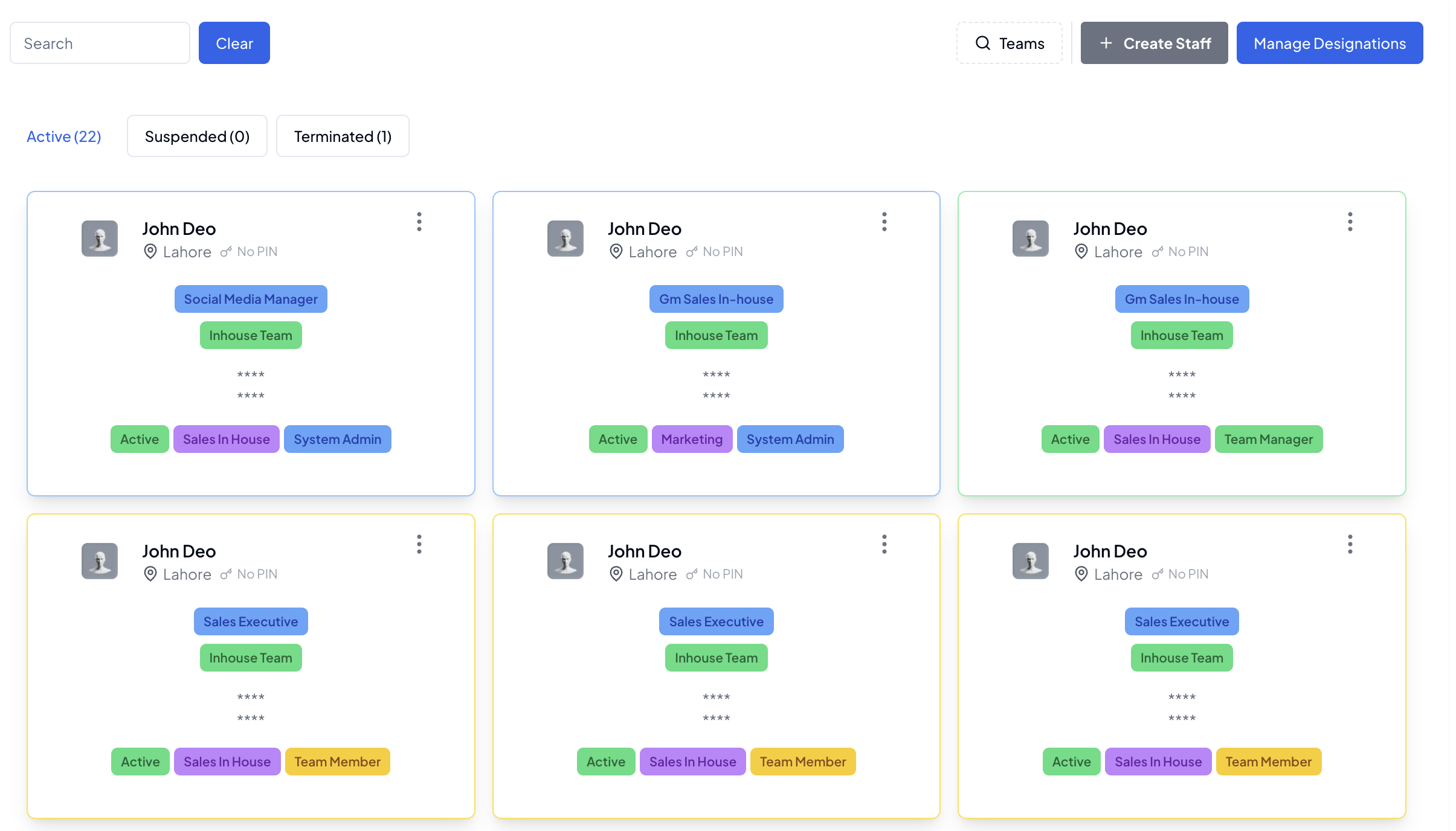
Staff Management
Staff Profiles
Each staff member has a detailed profile containing:
- Personal information
- Contact details
- Role assignments
- Skills and expertise
- Current status
Role Management
Available roles in the system:
- Team Member
- Team Manager
- System Admin
Each role comes with specific:
- Permissions
- Responsibilities
- Access levels
- Reporting capabilities
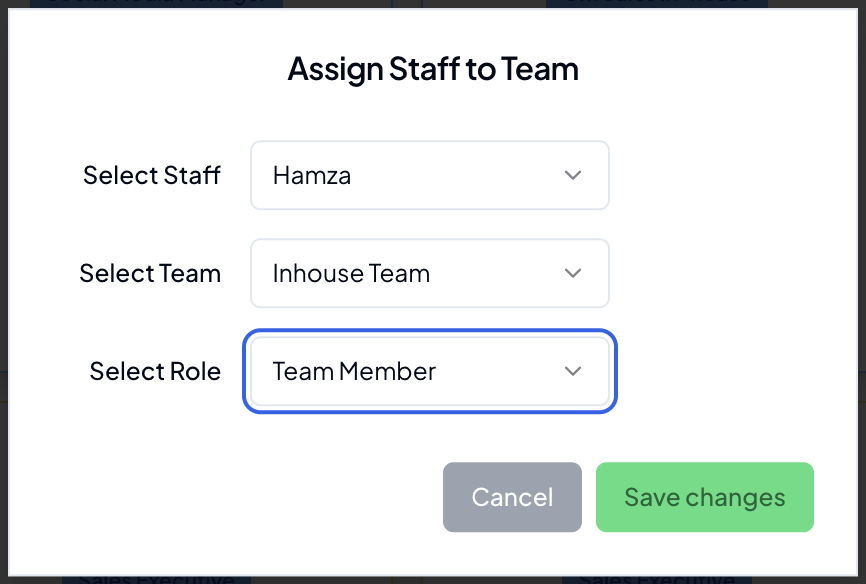
Changing Teams & Roles
To modify a team member's role or team assignment:
- Navigate to the Staff section
- Find the team member
- Click on the "Ellipsis" button on right top of staff member card
- Select the new team and/or role
- Save the changes
The system will automatically:
- Update permissions
- Notify relevant team managers
- Adjust reporting structures
- Update team rosters
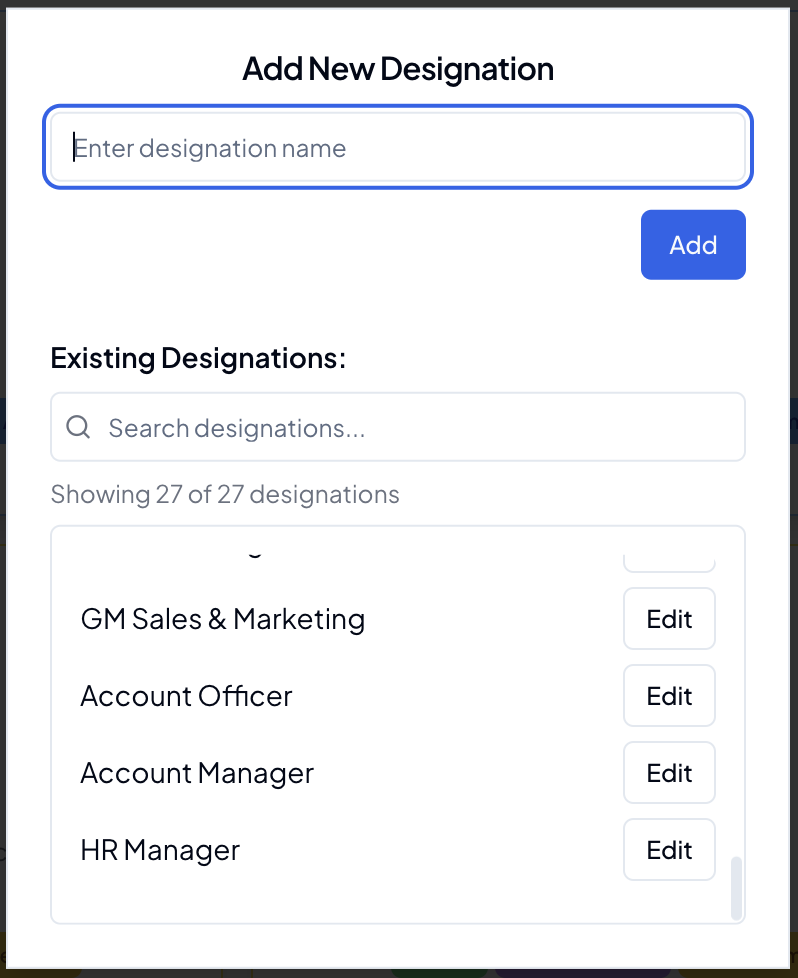
Designation Management
Designations help define staff positions and hierarchies within your organization:
- Create custom designations for your organization
- Set clear job titles and positions
- Track position-based responsibilities
The designation system allows you to:
- Add new designations
- Modify existing designations as roles evolve
- Assign staff members to appropriate designations
- View staff distribution across designations
- Plan career advancement paths
Staff Onboarding
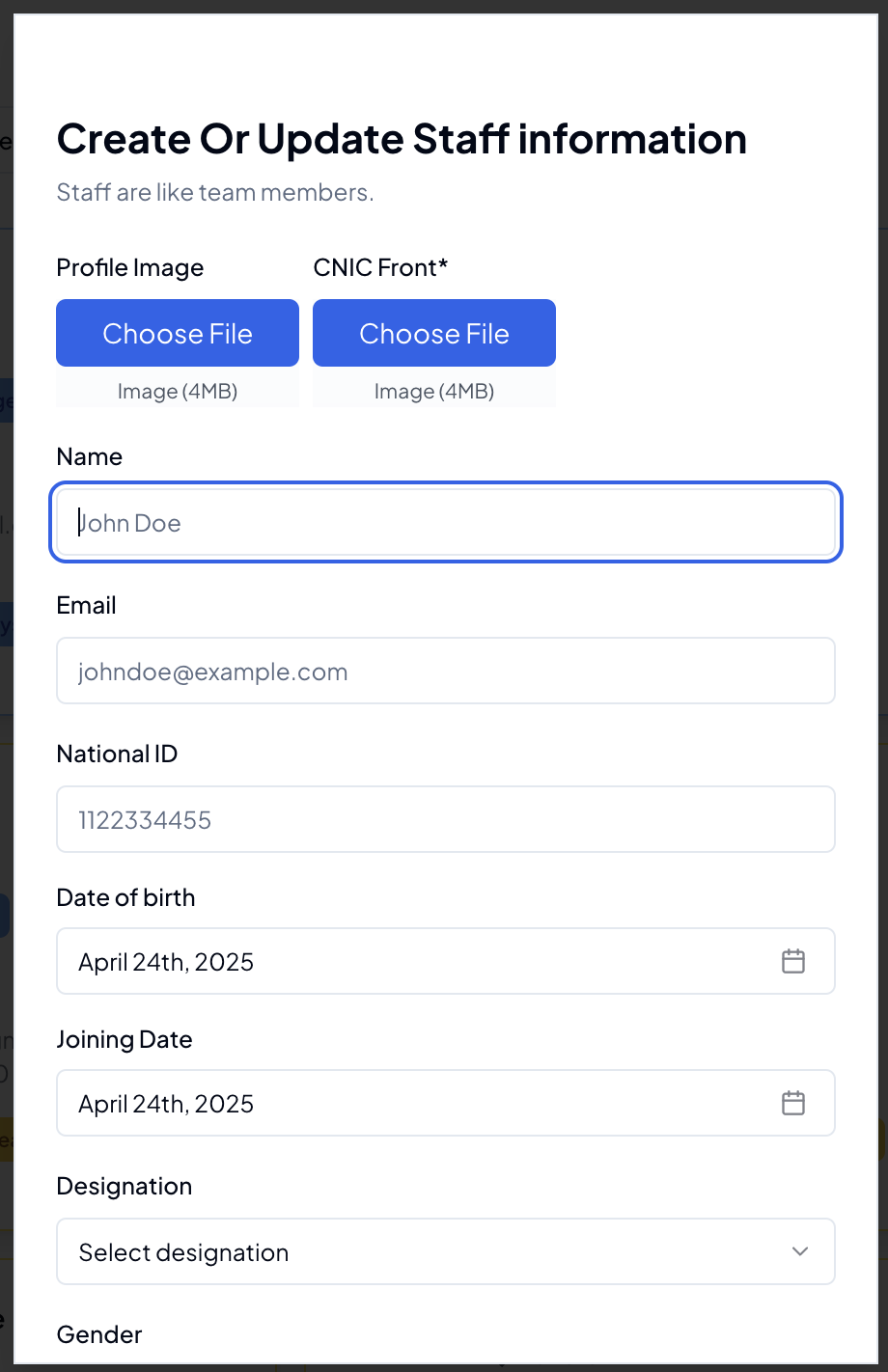
Streamlined process for adding new staff:
- Create staff profile
- Assign initial role
- Team assignment
- Welcome notification
Performance Tracking
Individual Performance
Track individual staff metrics:
- Task completion rates
- Quality scores
- Response times
- Attendance records
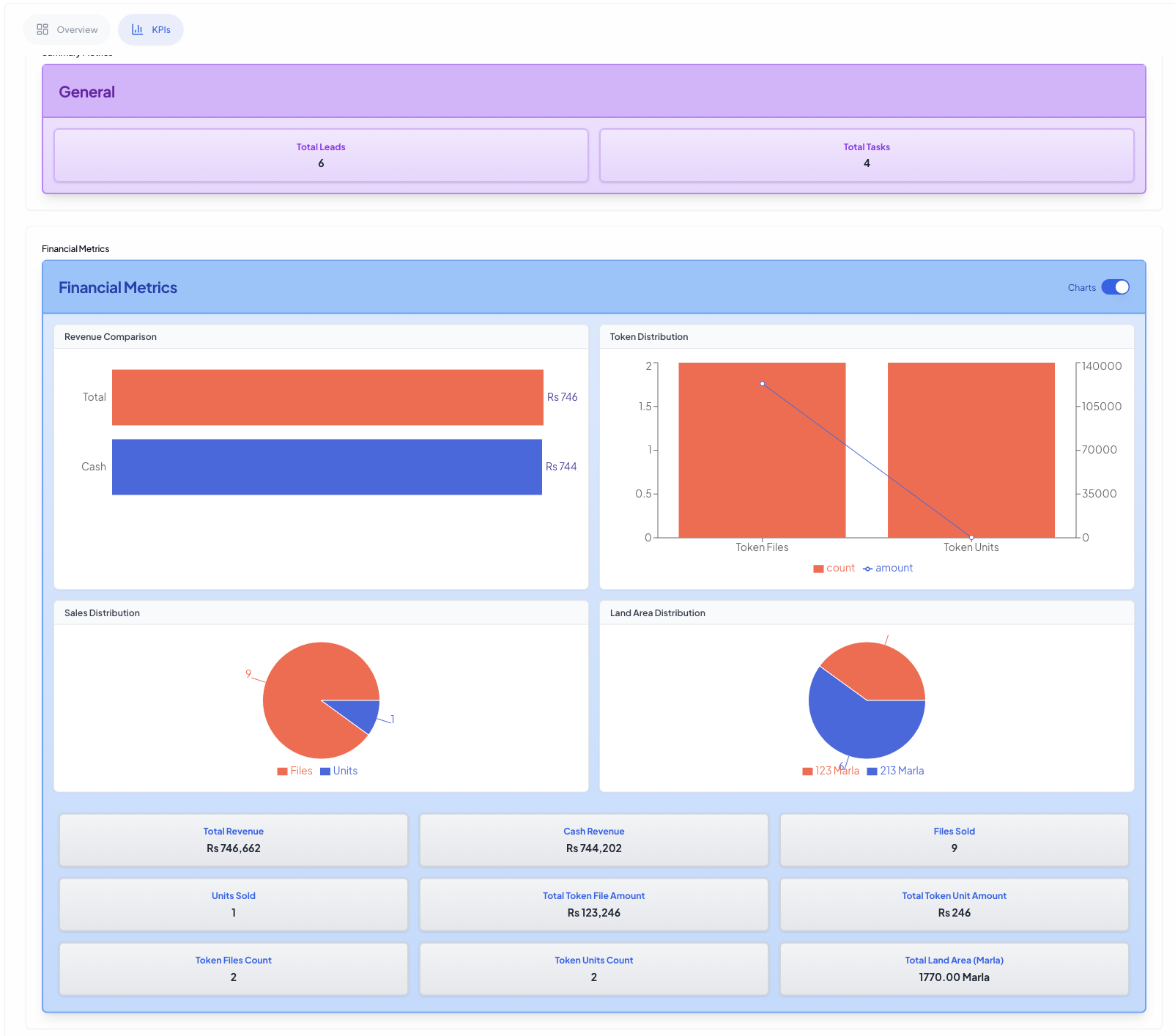
For detailed performance metrics and KPIs, visit the Performance & KPIs section where you can view:
- Financial metrics
- Performance trends
- Goal tracking
- Achievement records
Team Performance
Monitor team effectiveness through:
- Team productivity metrics
- Collaboration indicators
- Project success rates
- Team goal achievements
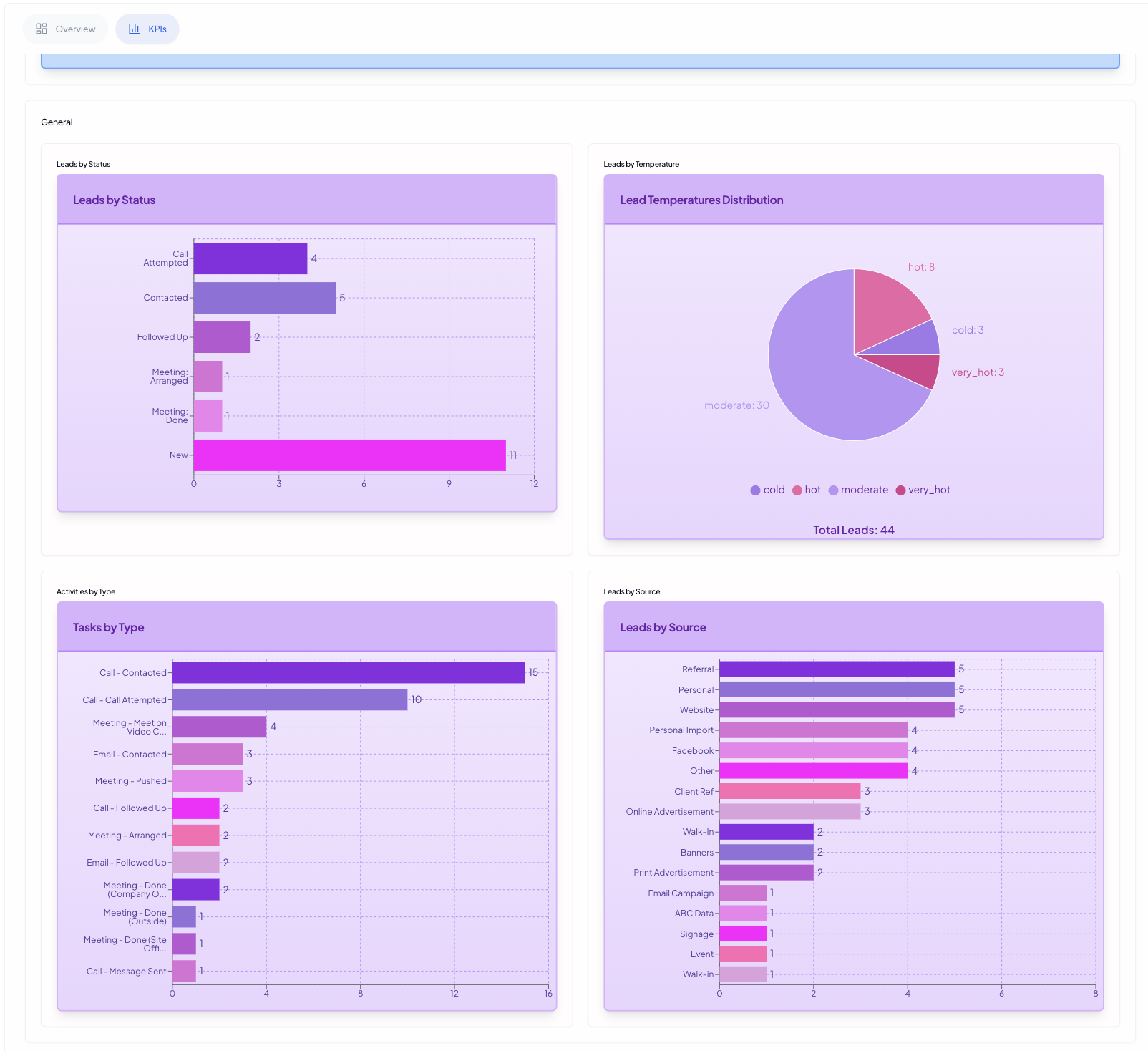
For comprehensive analytics, check the Performance & KPIs section featuring:
- Team comparisons
- Team metrics
- Success indicators
- Growth trends
Communication & Updates
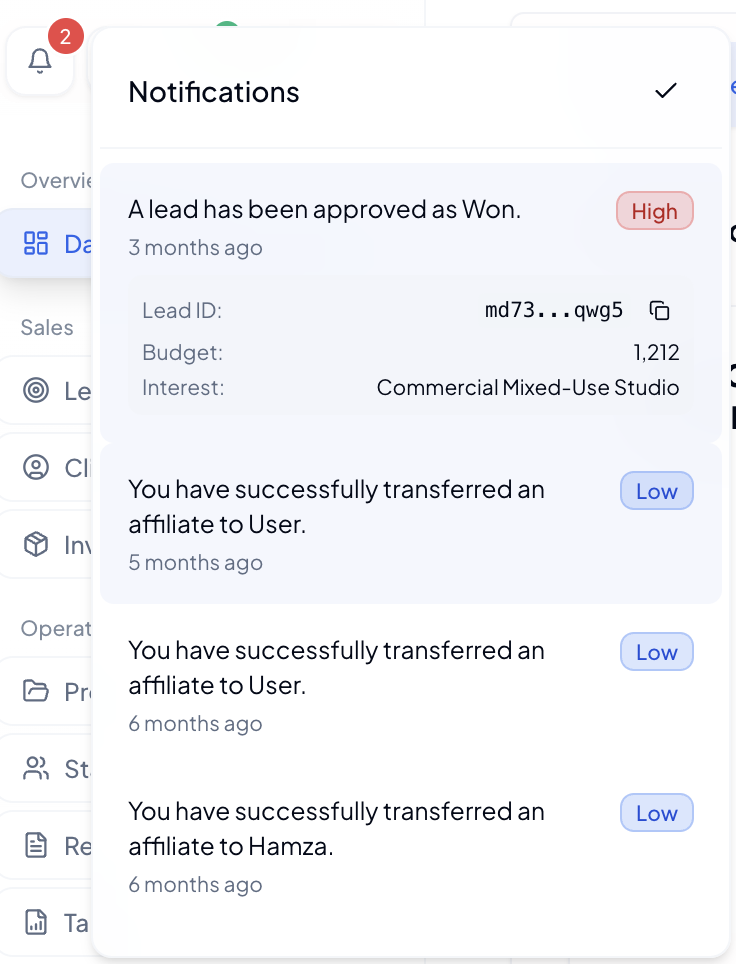
Stay informed about team activities through our notification system:
- Task assignments
- Team updates
- Performance reviews
- Important announcements
- Meeting reminders
For all system notifications and updates, visit the notifications center accessible from the top navigation bar.
Best Practices
Team Organization
- Keep teams balanced in size
- Clearly define designation and responsibilities
- Regular performance reviews
Staff Management
- Regular feedback sessions
- Clear communication channels
- Professional development tracking
- Recognition programs
- Work-life balance monitoring
Tips & Tricks
💡 Pro Tips:
- Keep team sizes optimal (5-8 members)
- Regular role reviews
- Use designations to create clear career paths
- Monitor team performance through KPI dashboard
- Enable notifications for important team updates
Troubleshooting
Common issues and solutions:
-
Role Access Issues
- Verify role assignments
- Check permission settings
- Contact admin for review
-
Team Assignment Problems
- Ensure team capacity
- Check team roles
-
Performance Tracking Issues
- Clear browser cache
- Refresh data
- Contact support
Related Guides
Note: Keep your notifications enabled to stay updated with team activities and performance metrics.