Mobile Access
Access Pantheon Vista on the go with our powerful mobile application, designed to keep you connected and productive wherever you are.
Getting Started
Installation
- Download Pantheon Vista from the Google Play Store (opens in a new tab)
- Install the application on your Android device
- Log in to web application with your existing Pantheon Vista credentials
Setting Up Mobile PIN
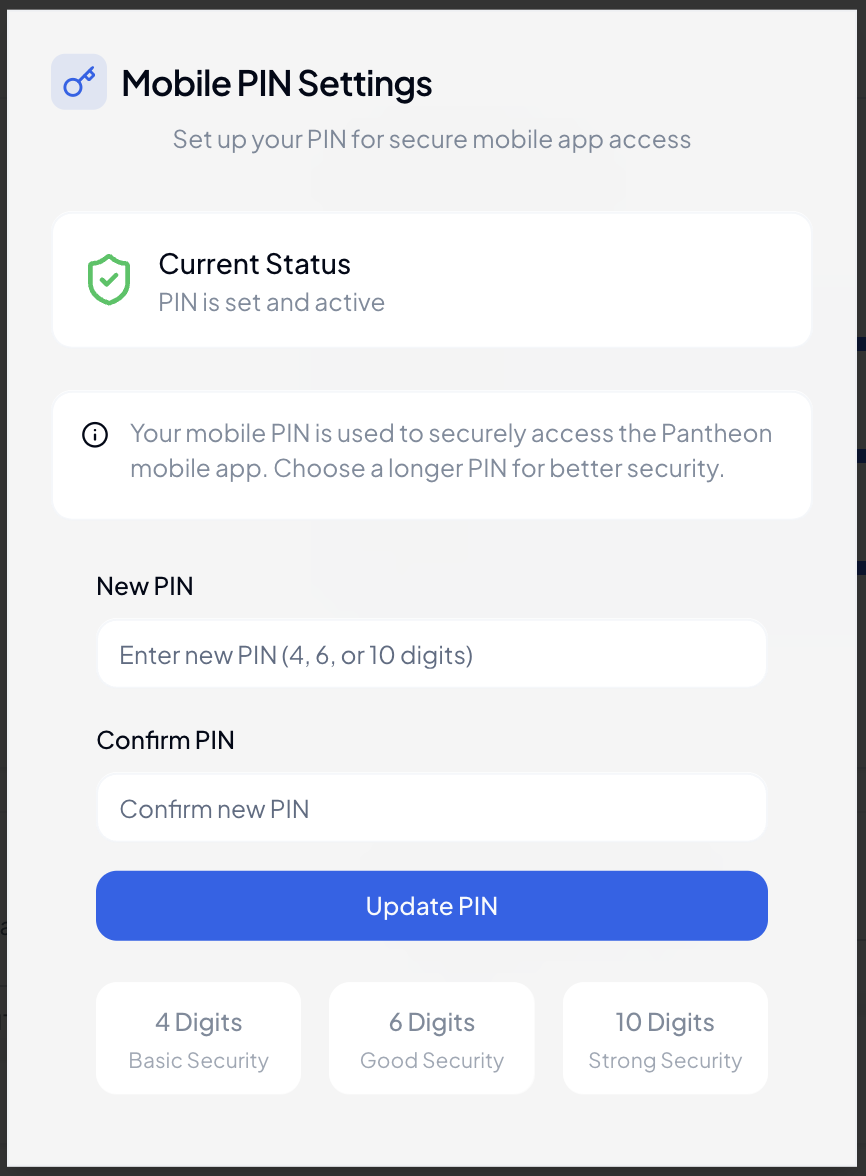
For quick and secure access, set up your mobile PIN through Quick Actions:
-
Access Quick Actions
- Open the web application
- Look for Quick Actions in the top sidebar
- Click on "Set Mobile PIN"
-
Choose PIN Length
- Select your preferred PIN length:
- 4 digits (Basic security)
- 6 digits (Recommended)
- 10 digits (Enhanced security)
- Select your preferred PIN length:
-
Create Your PIN
- Enter your chosen PIN
- System will show PIN strength indicator
- Follow the strength recommendations
- Confirm your PIN
- Activation
- PIN is activated immediately
- Use it for quick mobile app login
- Can be reset anytime through Quick Actions
💡 Security Tip: Choose a PIN that's easy for you to remember but hard for others to guess. Avoid common patterns like birth dates or sequential numbers.
Key Features
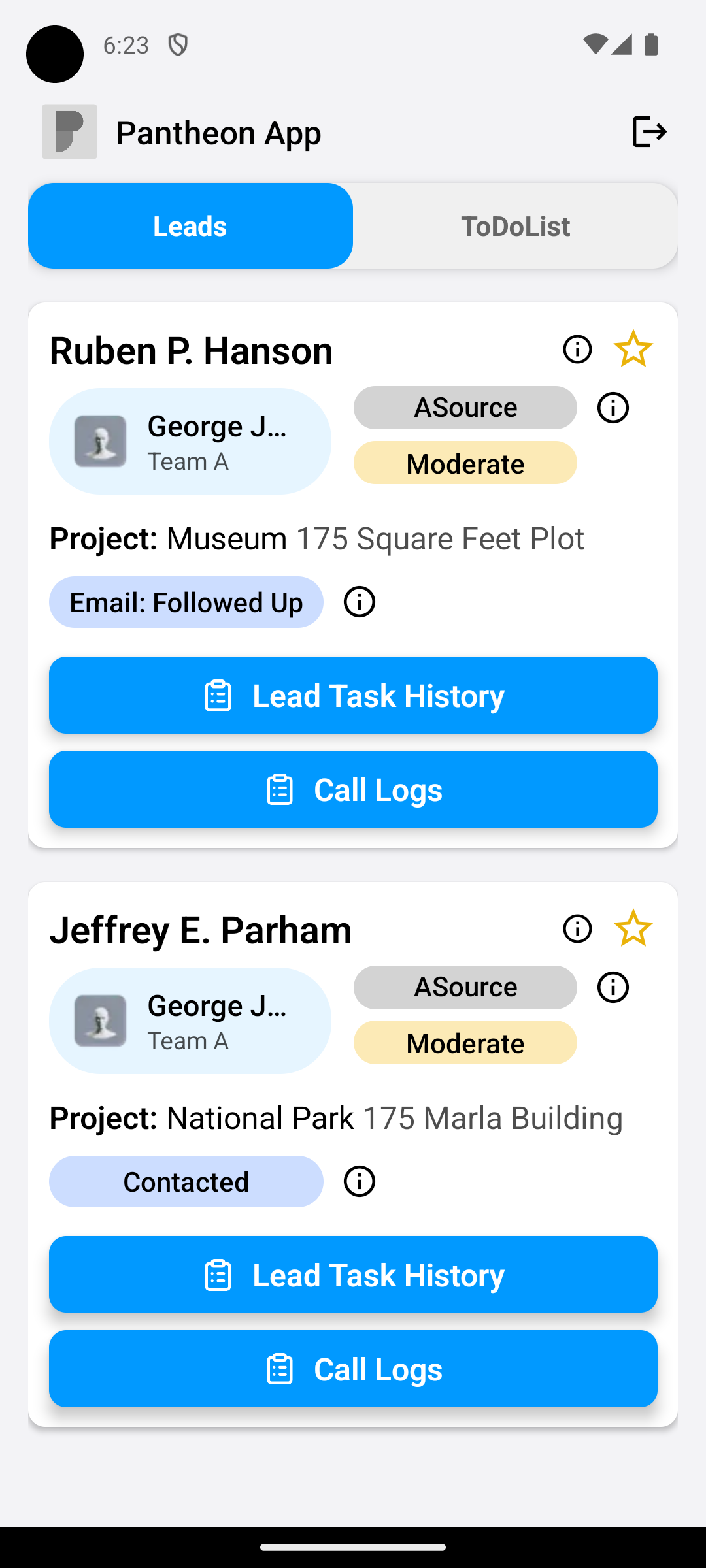
Lead Management
- View and update lead information
- Track lead status changes
- Access lead history
- Schedule follow-ups
Communication Tools
- Log call outcomes
- Send follow-up messages
- Access communication history
- Schedule meetings
Document Access
- View important documents
- Download files for offline access
- Share documents securely
- Upload new files
- Manage attachments
Real-time Updates
- Receive instant notifications
- Track team activities
- Monitor performance metrics
- Get alert for urgent tasks
- Stay updated on lead status changes
Security Features
Secure Authentication
- Mobile PIN access
- Automatic session timeout
- Secure token management
Data Protection
- End-to-end encryption
- Secure file sharing
- Privacy-focused design
- No data shared with third parties
- Compliant with data protection standards
Offline Capabilities
Offline Access
- View cached lead information
- Access downloaded documents
- Create draft updates
- Automatic sync when online
Data Synchronization
- Real-time sync with web app
- Background data updates
- Conflict resolution
- Smart data compression
- Bandwidth optimization
Best Practices
💡 Tips for Mobile Usage:
- Enable notifications for important updates
- Regularly sync data when connected
- Use mobile PIN for quick access
- Download essential documents for offline access
- Clear app cache periodically
Troubleshooting
Common Issues
- Login problems
- Sync issues
- Notification settings
- PIN reset process
- Cache management
Support
For technical support:
- Email: hamzasaleembusiness@gmail.com
- In-app support features
System Requirements
Android Device
- Android 5.0 or higher
- Minimum 2GB RAM
- 100MB free storage
- Active internet connection
- Google Play Services
Updates and Maintenance
- Regular security updates
- Feature enhancements
- Performance improvements
- Bug fixes
- User feedback implementation
Related Features
Note: Some features may require specific permissions or role access. Contact your system administrator for access requirements.