Client Management
View and manage your converted leads in the client management system.
Overview
The Client Management module provides a streamlined view of all your converted leads, showing essential client information and their assigned staff members.
💡 Important Note: For detailed client interactions, communication history, and task management, please refer to the Leads Management section. The client view focuses on basic information and assignments only.
Client Information
Each client entry displays:
- Client name
- Contact details
- Assigned staff member
- Client type
- Leads count
- Created date
Client Features
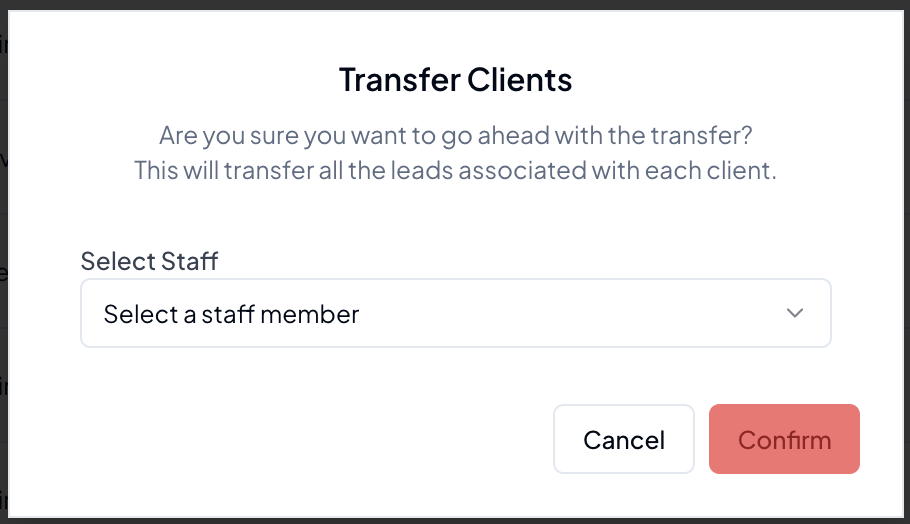
Client Transfer
Transfer clients between staff members:
- Select target staff member
- Update assignments
- Maintain client records
Best Practices
Client Management
- Keep client information updated
- Maintain accurate staff assignments
- Review client list periodically
Data Organization
- Use search filters effectively
- Archive inactive clients
- Verify contact information
- Update staff assignments promptly
Tips & Tricks
💡 Pro Tips:
- Use the search function to quickly locate clients through Leads Section
- Regularly review staff assignments
- Keep status information current
- For detailed client history and communication logs, check the Leads Section
Troubleshooting
Common issues and solutions:
-
Search Issues
- Verify search criteria
- Clear filters
- Check spelling
- Try alternative search fields
-
Transfer Problems
- Verify staff availability
- Check permissions
- Confirm client status
Related Guides
- Leads Management (for detailed client history and communication)
- Performance & KPIs
Note: Remember that detailed client interactions, tasks, and communication history are managed through the Leads Management section.