To Do List
Transform your team's productivity with our intuitive Task Management system. Organize, track, and manage tasks efficiently with both Kanban and Table views, enhanced by AI-powered follow-up generation.
Dashboard Overview
Our task management dashboard offers flexible views and intelligent organization of tasks based on time frames and priorities.
Kanban View
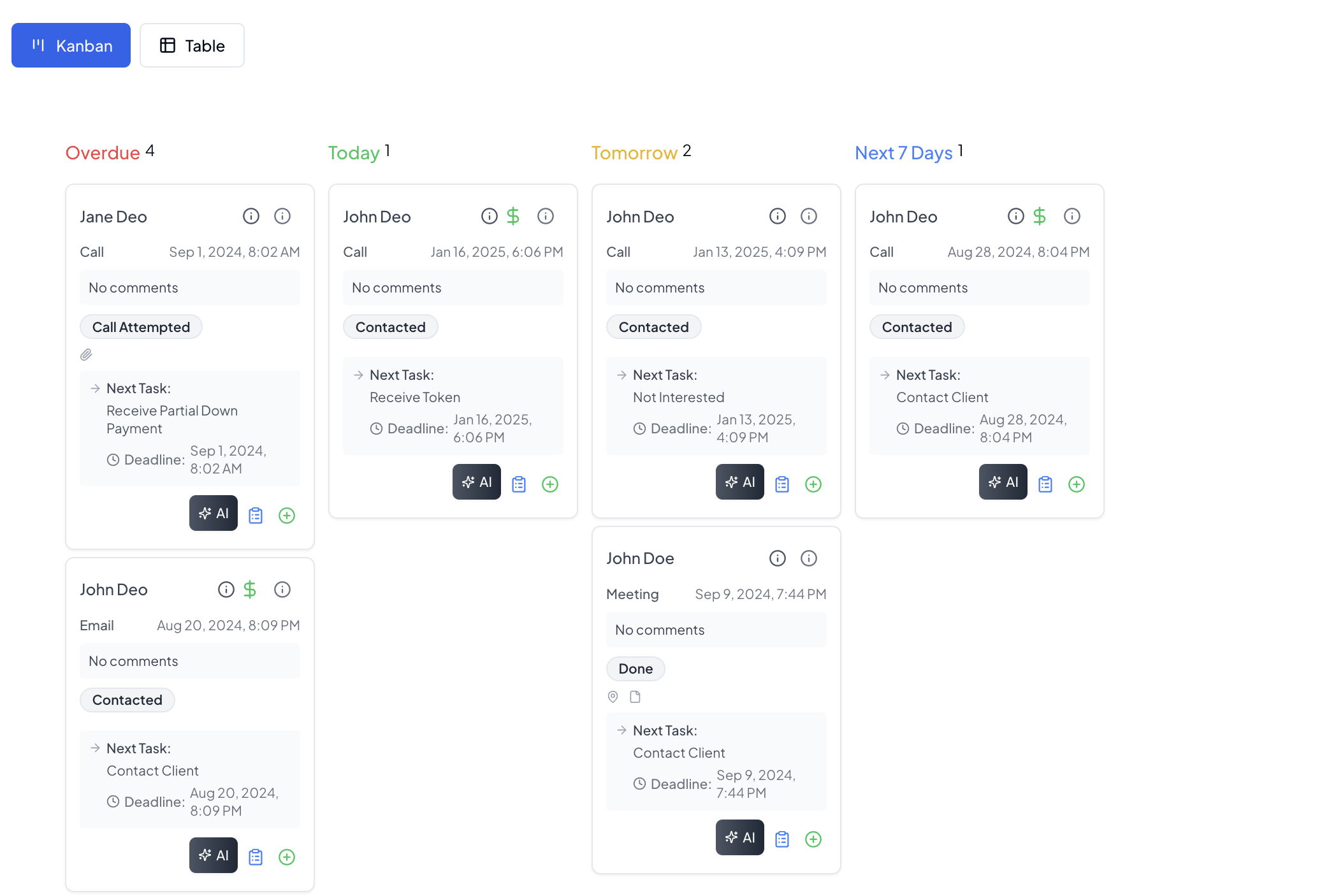
Visualize and manage tasks across different time periods:
- Today's Tasks
- Tomorrow's Tasks
- Next 7 Days
- Overdue Tasks
Table View
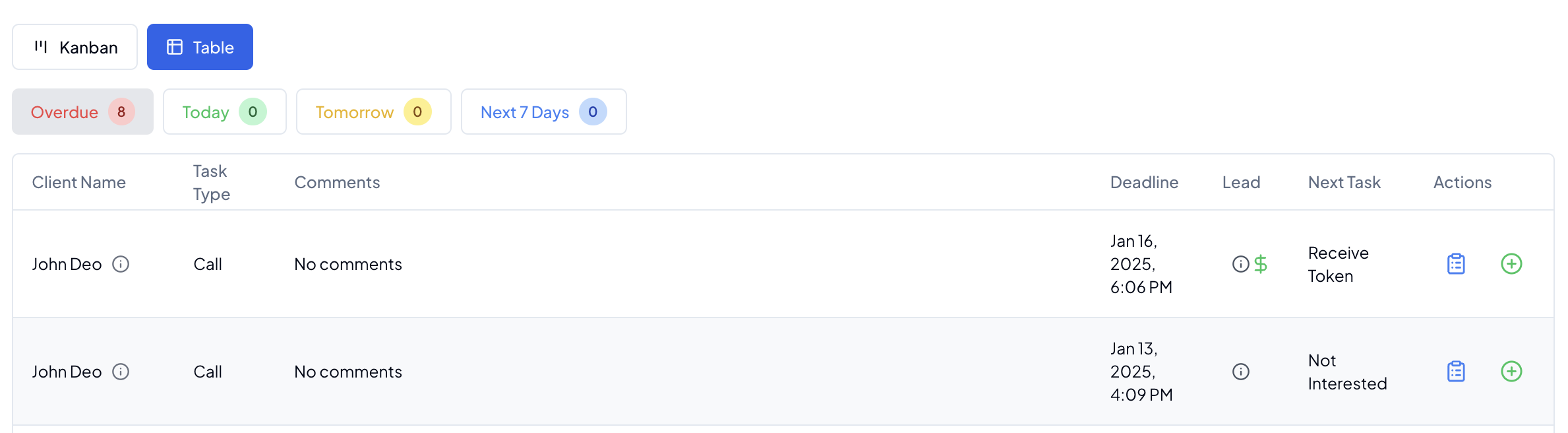
Comprehensive list view with advanced filtering and sorting capabilities:
- Task details
- Due dates
- Priority levels
- Assignment information
- Status tracking
- Action buttons
Task Management Features
Time-based Organization
- Today: Immediate priorities and urgent tasks
- Tomorrow: Upcoming responsibilities
- Next 7 Days: Short-term planning
- Overdue: Past due tasks requiring attention
Task Creation
- Quick task addition
- Detailed task information
- Priority setting
- Due date assignment
- Team member allocation
- Notes and attachments
- Related lead linking
Task History
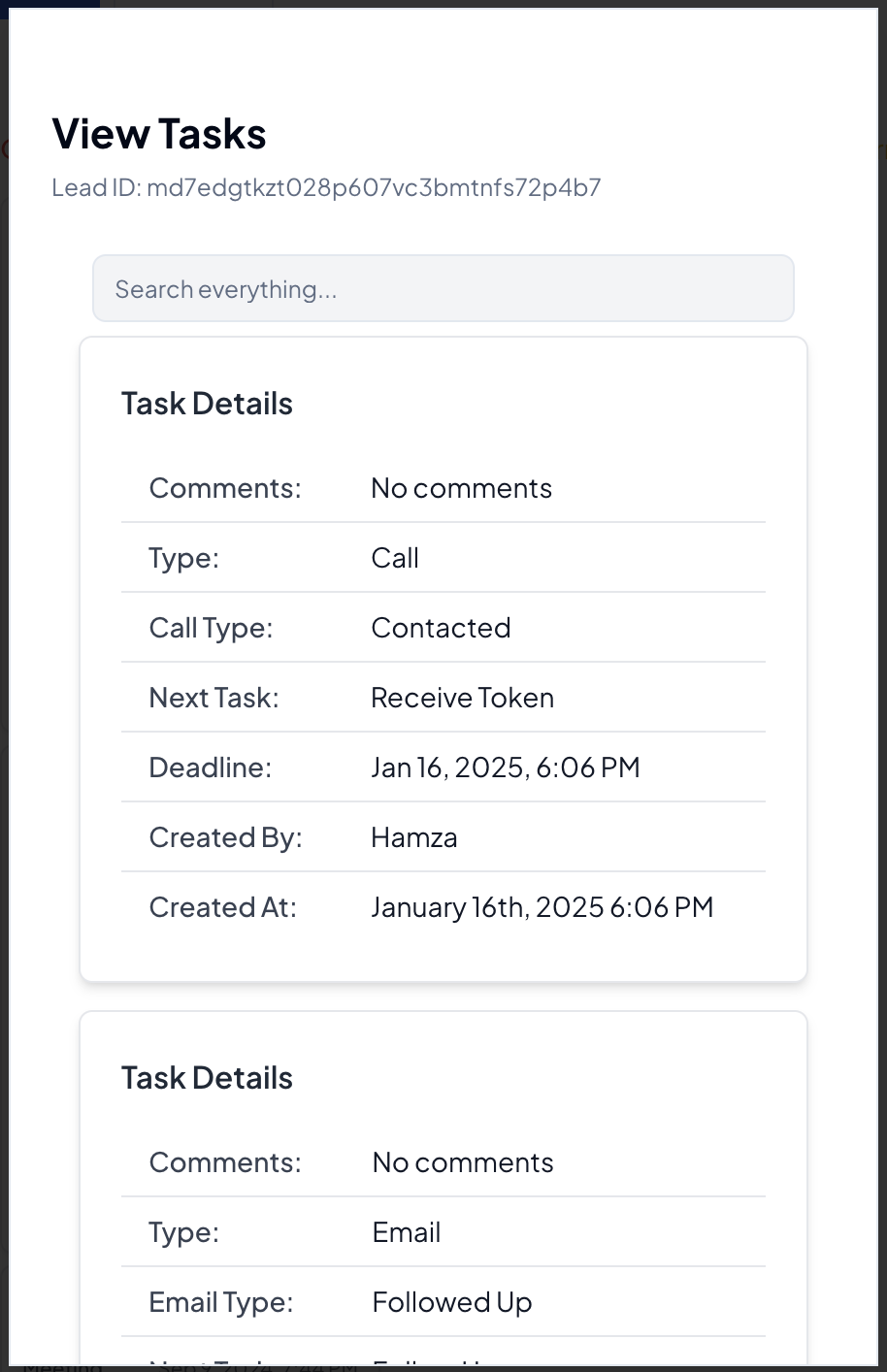
Complete historical record of task activities:
- Creation details
- Status changes
- Comment history
- Action timestamps
- Team interactions
- Follow-up records
AI-Powered Follow-ups
Smart Follow-up Generation
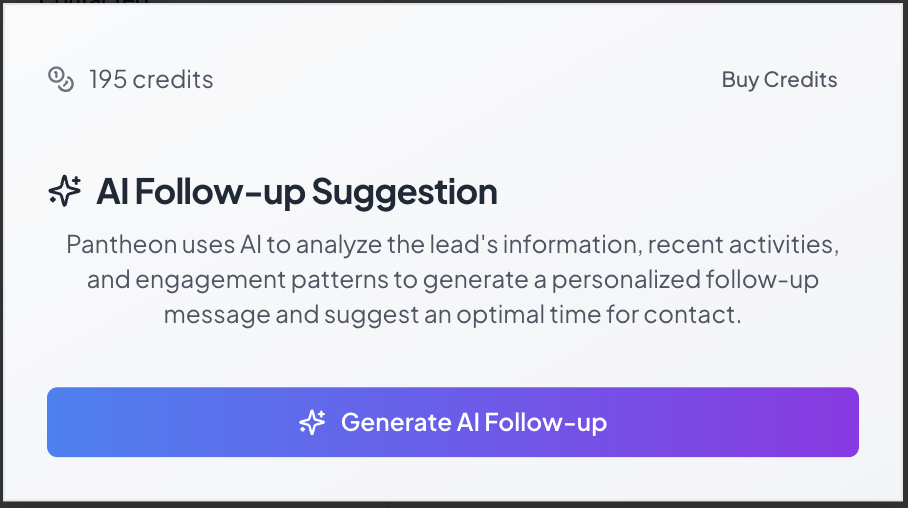
Generate intelligent follow-ups based on historical context:
- One-click AI generation
- Context-aware responses
- Historical interaction analysis
- Personalization options
- Tone adjustment
- Multi-channel support
AI Features
- Context Analysis: Reviews previous interactions
- Pattern Recognition: Learns from successful follow-ups
- Personalization: Tailors content to lead preferences
- Channel Optimization: Suggests best communication channels
- Timing Recommendations: Proposes optimal follow-up times
Task Views
Kanban Benefits
- Visual task organization
- Drag-and-drop functionality
- Status visualization
- Quick updates
- Team collaboration
- Priority indication
Table Benefits
- Detailed information display
- Advanced sorting
- Quick filtering
- Custom views
Best Practices
💡 Pro Tips:
- Review tasks daily
- Utilize AI for complex follow-ups
- Maintain task history
- Set realistic due dates
- Use priority flags effectively
- Document all interactions
- Enable team collaboration
- Monitor overdue tasks
Task Analytics
Performance Metrics
- Completion rates
- Response times
- Follow-up effectiveness
- Team productivity
- AI usage statistics
- Success rates
Reporting
- Task status reports
- Team performance
- AI effectiveness
- Time management
- Workload distribution
- Historical trends
Related Guides
Note: Regular task review and timely follow-ups are crucial for effective lead management.