Inventory Management
Efficiently manage your property portfolio with our comprehensive Inventory Management system. Track, monitor, and manage properties with ease through our intuitive dashboard interface.
Dashboard Overview
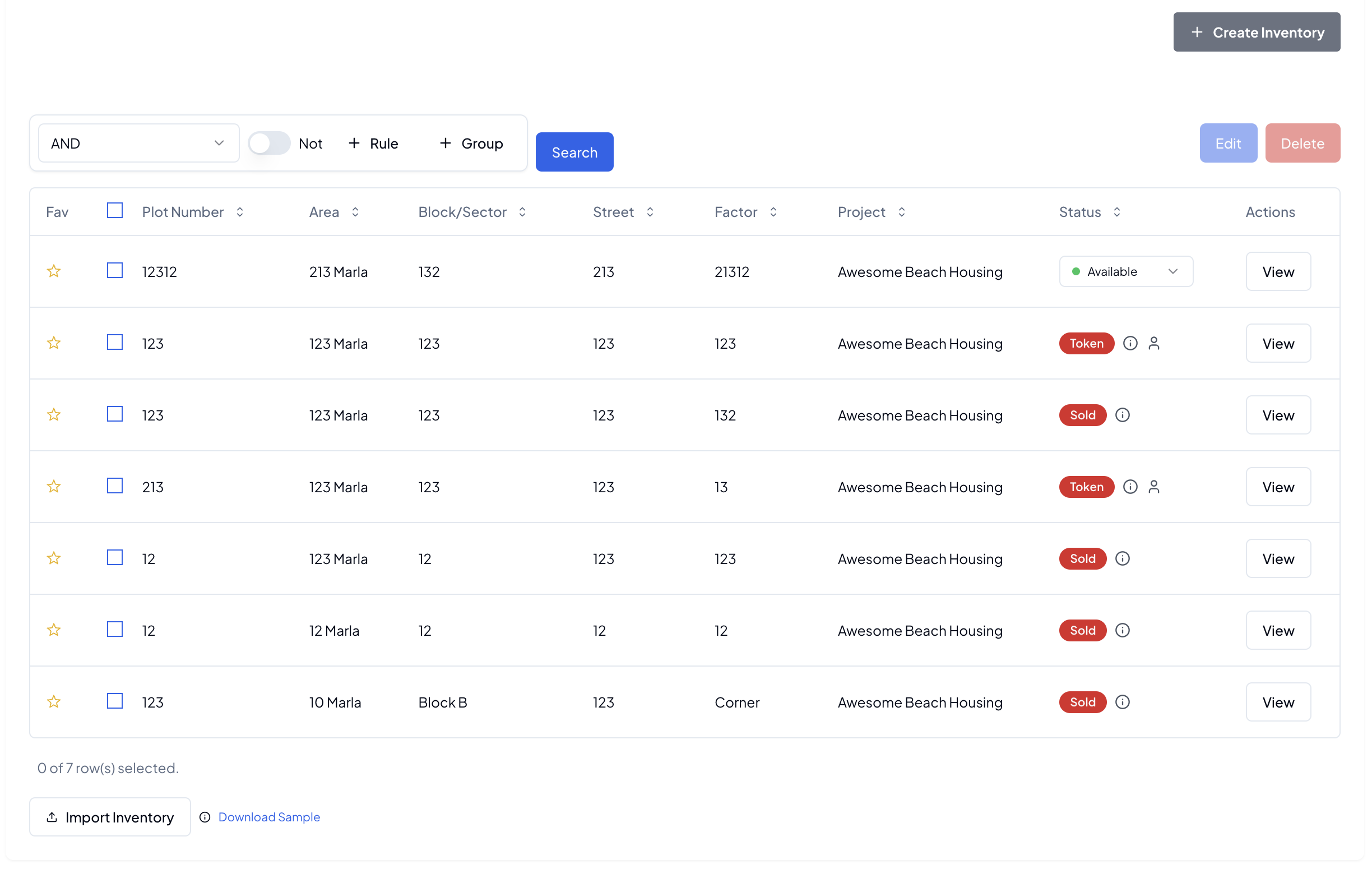
Our inventory dashboard provides a centralized view of your entire property portfolio, allowing for quick access to essential property information and status updates.
Key Features
- Comprehensive property listing
- Quick status monitoring
- Favorite property marking
- Detailed property information
- Instant property actions
- Advanced filtering options
Property Information
Each property in the inventory system is tracked with detailed information across multiple parameters:
| Field | Description |
|---|---|
| Fav | Mark properties as favorites for quick access |
| Plot Number | Unique identifier for each property |
| Area | Property size and dimensions |
| Block/Sector | Location subdivision identifier |
| Street | Street location details |
| Factor | Property-specific factors or attributes |
| Project | Associated development project |
| Status | Current property status (Available/Token/Sold) |
| Actions | Quick access to property information |
Status Indicators
The status field provides immediate visibility into property availability:
- Available: Properties ready for sale
- On Token: Properties currently reserved
- Sold: Completed transactions
Each status entry includes detailed information accessible directly from the dashboard.
Property Actions
View Details
Access comprehensive property information through the "View" action button:
- Complete property specifications
Inventory Import
Streamline your inventory management with our bulk import feature.
Import Process
- Template Download: Access our standardized import template
- Data Preparation: Fill in property details following the template structure
- Validation: Automatic data validation before import
- Import Execution: Bulk upload of property records
- Confirmation: Review and verify imported data
Import Guidelines
- Ensure all required fields are completed
- Follow the specified data format for each column
- Use consistent naming conventions
- Verify property identifiers are unique
- Include all relevant property details
Best Practices
💡 Pro Tips:
- Regularly update property status
- Utilize the favorite feature for priority properties
- Maintain accurate property details
- Document status changes promptly
- Use bulk import for large property portfolios
Managing Properties
Quick Actions
- Mark/unmark favorites
- View detailed information
- Update property status
- Track property changes
Filtering and Search
- Filter by project
- Search by plot number
- Filter by status
- Sort by area
- Filter by block/sector
Related Guides
Note: Regular inventory updates ensure accurate property status and availability information.