Quick Lead Creation
Quick Lead is a streamlined feature designed to help you create new leads efficiently by focusing on essential information first.
Overview
The Quick Lead feature simplifies lead creation by:
- Validating phone numbers instantly
- Collecting only essential information
- Streamlining the lead creation process
- Preventing duplicate entries
Step-by-Step Process
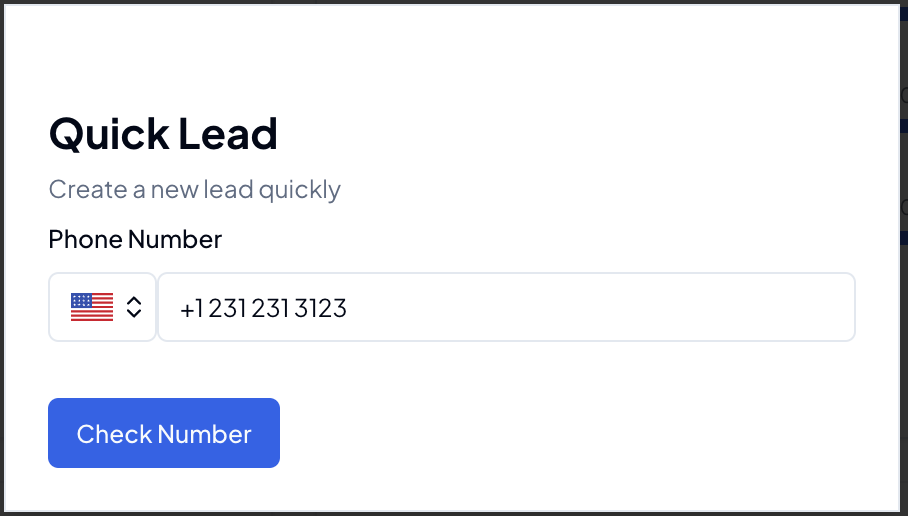
1. Phone Number Verification
First, enter the potential client's phone number:
- System checks for existing records
- Prevents duplicate lead creation
- Validates phone number format
- Shows existing client history if found
2. Lead Information
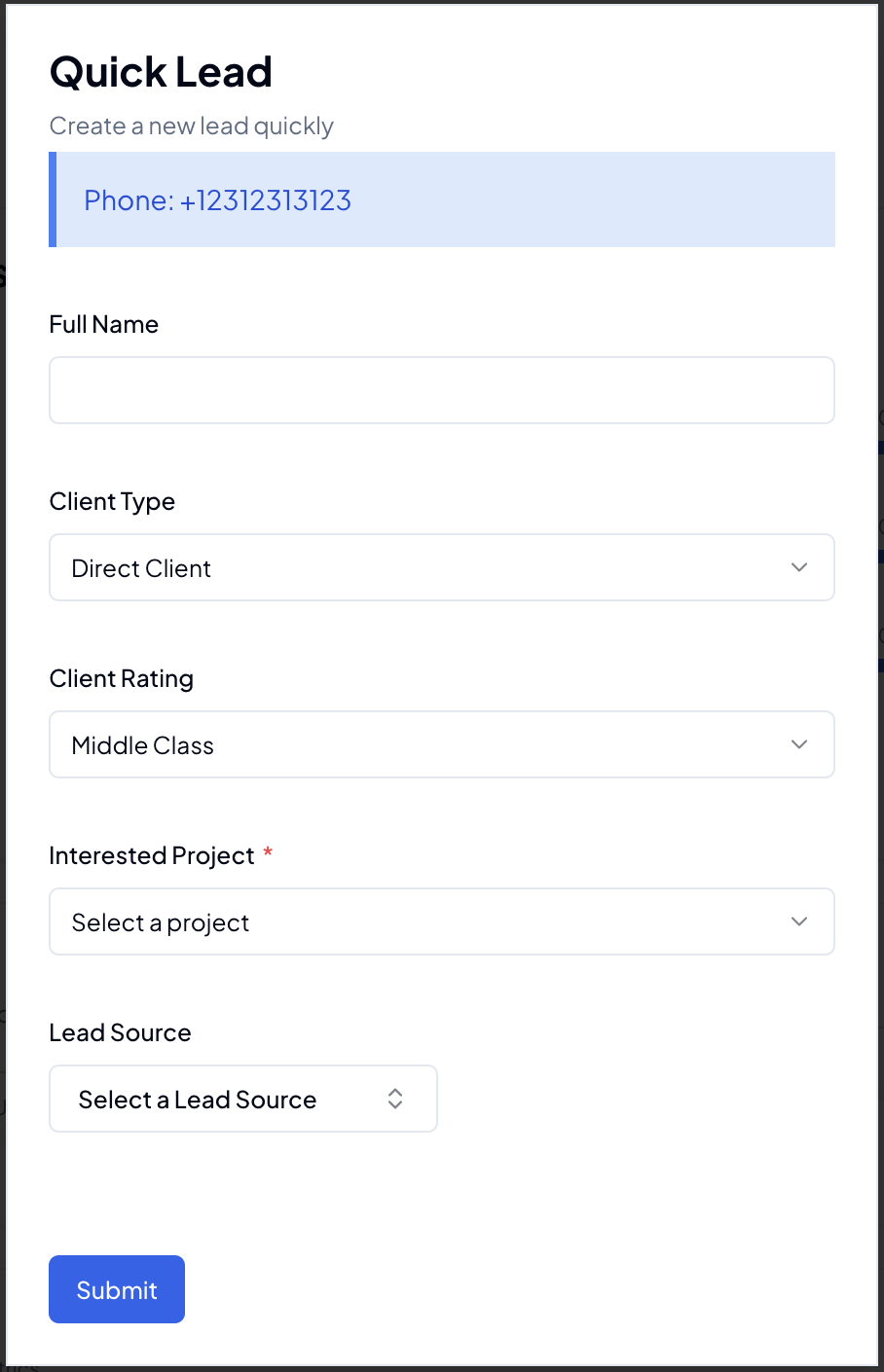
After phone verification, enter the essential lead details:
Required Information
- Client Name: Full name of the potential client
- Client Type: Select the appropriate category
- Client Rating: Initial lead quality rating
- Interested Project: Project or service of interest
- Lead Source: Where the lead came from
Best Practices
When to Use Quick Lead
- During phone calls with potential clients
- When collecting leads at events
- For quick data entry of business cards
- During initial client conversations
Tips for Efficient Use
- Keep the client on the line while creating the lead
- Verify phone number first to avoid duplicates
- Select accurate client ratings for better lead management
- Choose the correct lead source for tracking effectiveness
Features
Automatic Checks
- Phone number validation
- Duplicate detection
- Format verification
- History lookup
Quick Actions
- Fast lead creation
- Immediate assignment
- Quick follow-up scheduling
- Instant notification
Related Features
Note: Quick Lead is designed for initial lead capture. Detailed information can be added later through the full lead management interface.