Daily Workflows
Master your daily routines with our comprehensive guide to essential workflows in Pantheon Vista.
Morning Routine
1. Dashboard Review (15 mins)
Start your day with a quick overview:
- Check notifications for urgent updates
- Review today's tasks in the To Do List
- Monitor team performance metrics
- Check new lead assignments
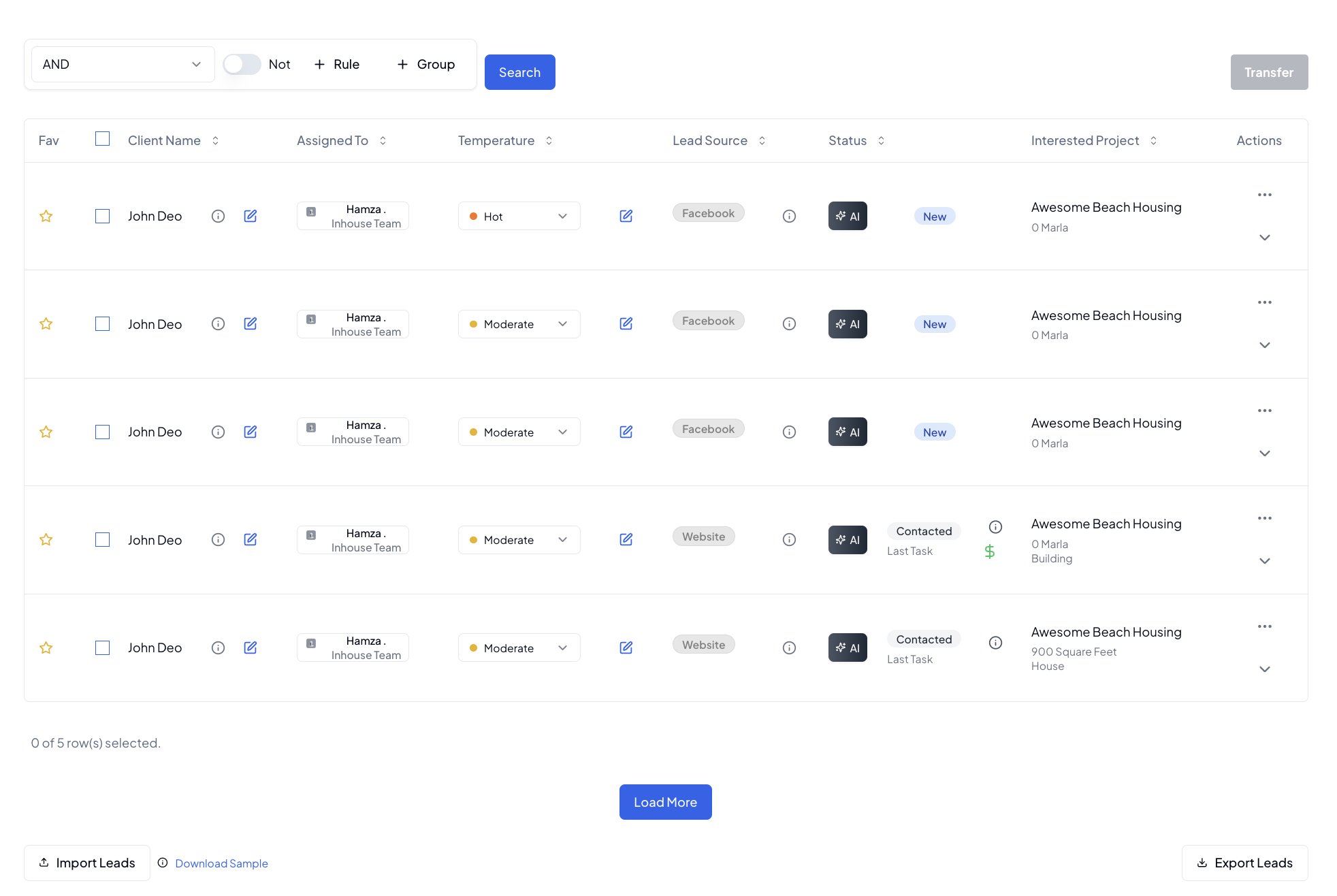
2. Lead Management (30-45 mins)
Process and organize your leads:
- Review new leads from Facebook integration
- Check unassigned leads
- Update lead statuses
- Schedule follow-up tasks
- Document communications
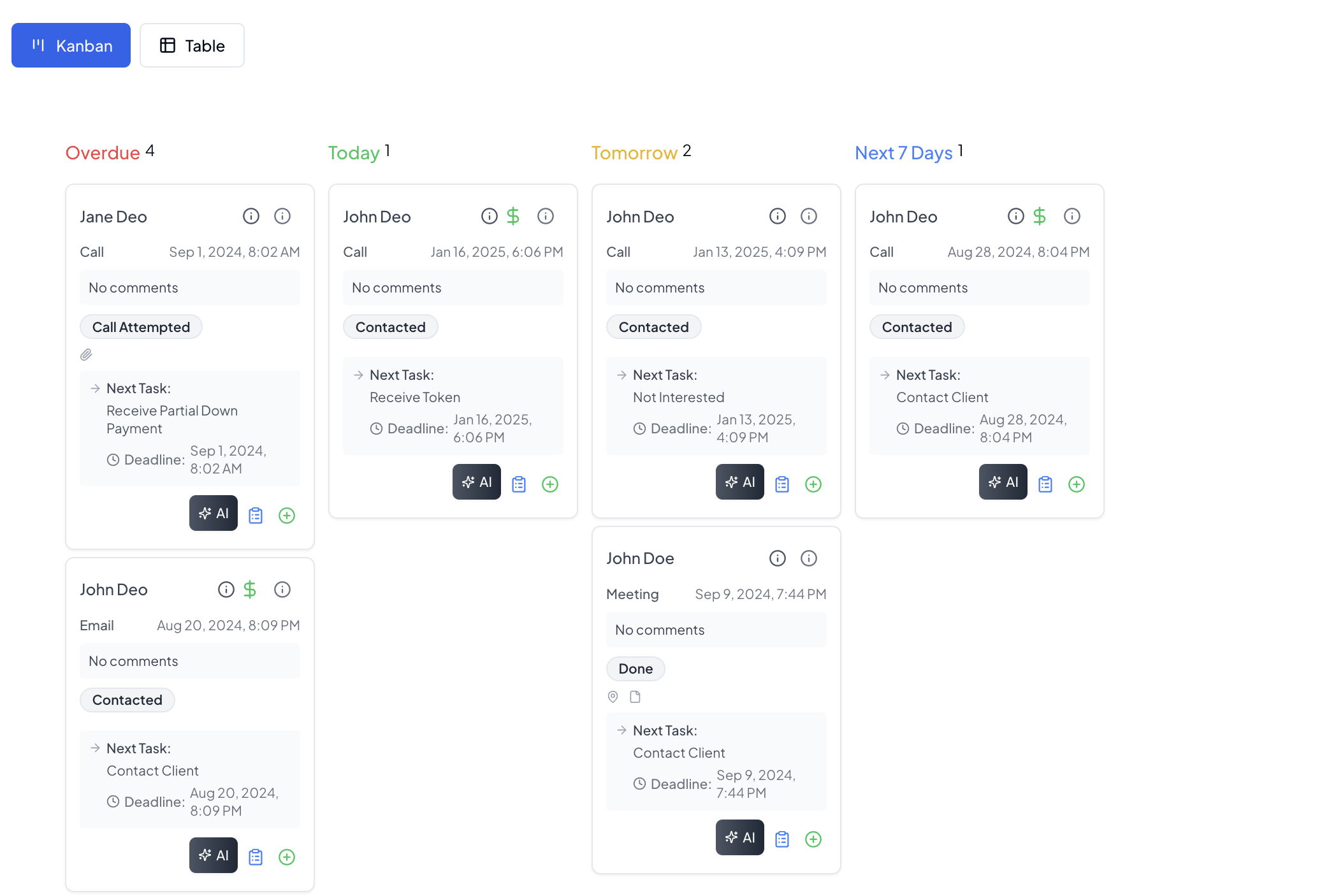
3. Task Organization (30 mins)
Manage your To Do List effectively:
- Review overdue tasks
- Organize today's priorities
- Plan tomorrow's activities
- Generate AI follow-ups for pending leads
- Update task statuses
Throughout the Day
Lead Follow-up Process
Maintain consistent lead engagement:
-
Check Lead Status
- Review lead details
- Check communication history
- Verify token status
-
Communication
- Make scheduled calls
- Send follow-up emails
- Record meeting notes
- Update lead status
-
Documentation
- Log all communications
- Update lead information
- Add voice notes
- Attach relevant documents
Client Management
Regular client interaction routine:
- Review client requests
- Update client records
- Schedule follow-up meetings
- Document communications
- Track client satisfaction
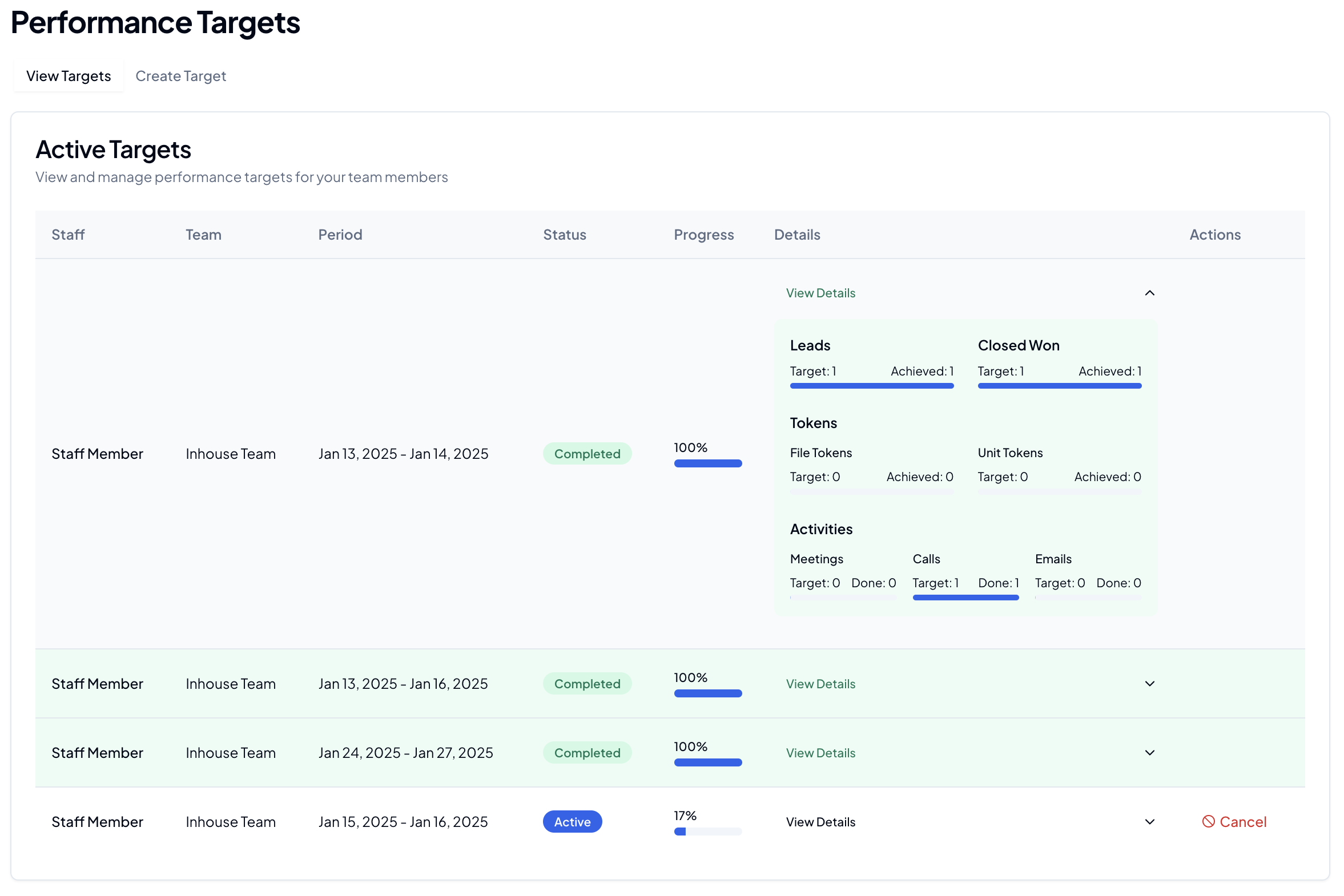
Performance Monitoring
Keep track of your targets:
- Monitor leads target progress
- Check closed won deals
- Track token status
- Review activity metrics
- Meetings completed
- Calls made
- Emails sent
End of Day Routine
1. Task Review (15 mins)
- Update task statuses
- Plan tomorrow's priorities
- Set reminders for pending items
- Document any blockers
2. Lead Status Update (15 mins)
- Update lead statuses
- Schedule next day's follow-ups
- Document pending actions
- Review lead pipeline
3. Performance Review (10 mins)
- Check daily target achievement
- Review communication metrics
- Plan next day's priorities
- Update team on progress
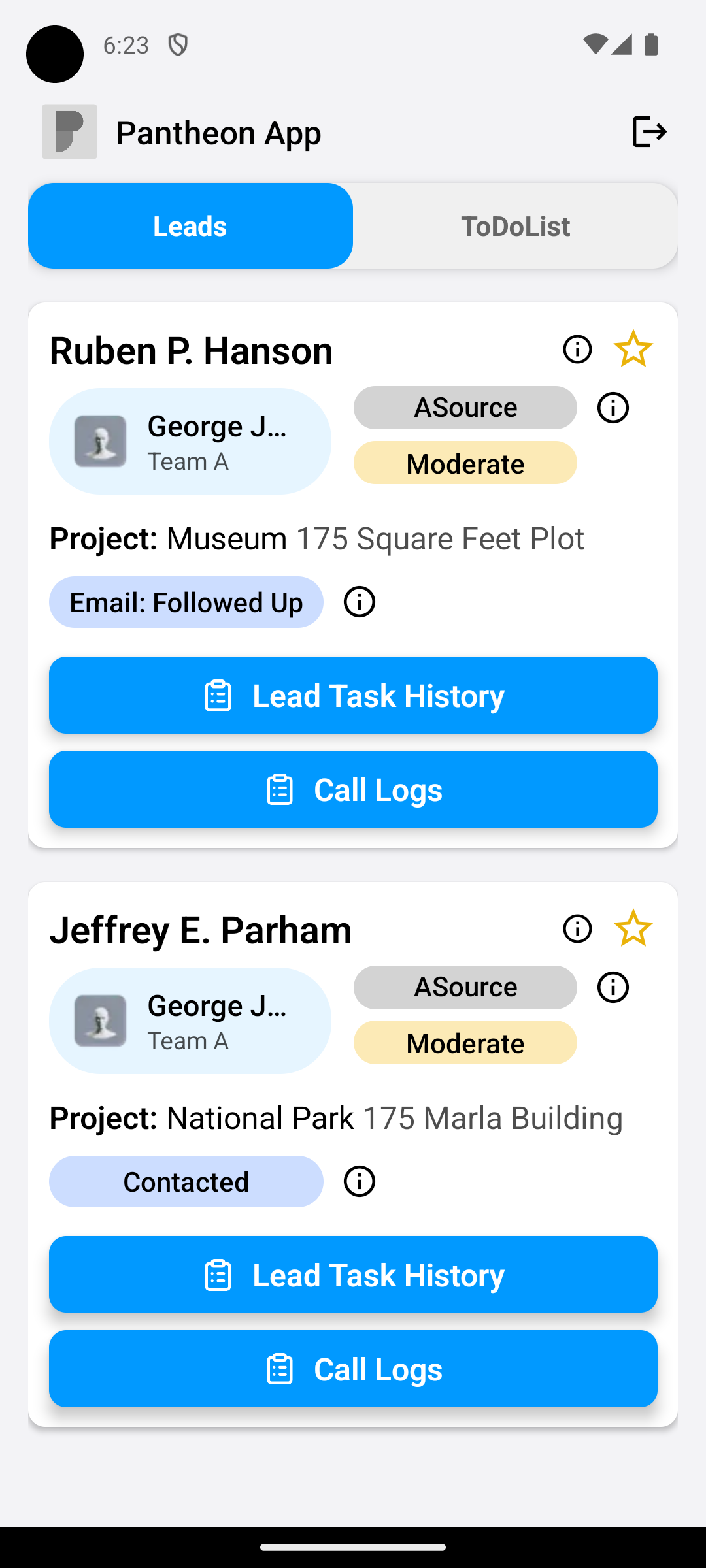
Mobile Access
Stay connected on the go:
- Use mobile PIN for quick access
- Track calls and meetings
- Update lead information
- Access important documents
- Receive real-time notifications
Best Practices
💡 Pro Tips:
- Start each day with a clear plan
- Keep lead information updated in real-time
- Use AI follow-ups for efficient communication
- Document all interactions promptly
- Regular check-ins with team targets
- Enable mobile notifications for urgent updates
Productivity Tools
Quick Actions
- Use keyboard shortcuts
- Utilize bulk actions
- Enable notifications
- Customize dashboard views
Time Management
- Block time for specific activities
- Use task prioritization
- Set realistic deadlines
- Regular breaks for productivity
Related Guides
Note: Customize these workflows based on your role and responsibilities while maintaining core productivity practices.